
Reading inside a zone
You draw the reading zone on the camera image. Without a zone, the module reads no plates at all.
Add-on module · ANPR
The module reads the licence plates of vehicles crossing the zone you draw on a camera image. Every passage is stored with its photo, checked against your lists and can trigger an alert or a relay. Reading takes place inside the box, on site.
What the module is for
Control an entrance, keep a record of passages or be told when a flagged vehicle arrives, using the site's existing IP camera, as long as it can see the plate.
You draw the reading zone on the camera image. Without a zone, the module reads no plates at all.
Each read is time-stamped, linked to its camera and comes with a high-definition photo.
Allow list, deny list, VIP or visitor: the plate status is shown at every passage; a plate on no list is marked as unknown.
A plate on the deny list reaches the Alert centre in real time. Phone notification with a photo, according to your settings.
A plate on the allow or deny list can trigger an IP relay: gate, barrier, lighting or siren.
Mandatory zone, privacy masks on photos, adjustable retention period, access rights and an audit log of actions.
Plates read: French licence plates, current format (SIV) and former format (FNI).
How it works
What happens, step by step, on the camera fitted with the module.
In the player's Polygons tab, you draw a zone of the “Plate (LPR)” type over the lane. This zone switches reading on for that camera; a plate located outside it is ignored.
The box watches for motion inside the zone and starts reading when a vehicle moves through it. Motion that stays in place, such as foliage or a parked car, does not trigger it. The option and its sensitivity are adjustable.
The plate is read on the camera's main stream, cropped to the zone. Several matching reads confirm the number before it is stored.
The number is compared with the site's lists: allow list (authorised), deny list (not authorised), VIP or visitor. Otherwise the plate is unknown.
The passage is added to the history: number, camera, confidence level, date and high-definition photo. If the camera records, the video of that moment opens from the same line.
Deny list: real-time alert in the Alert centre. Phone notification with a photo for the chosen cameras and time window. IP relay for the allow and deny lists, from Outputs and automations.
The reading zone is mandatory: without it, no plate is read on the camera, even with the module enabled.
In the interface
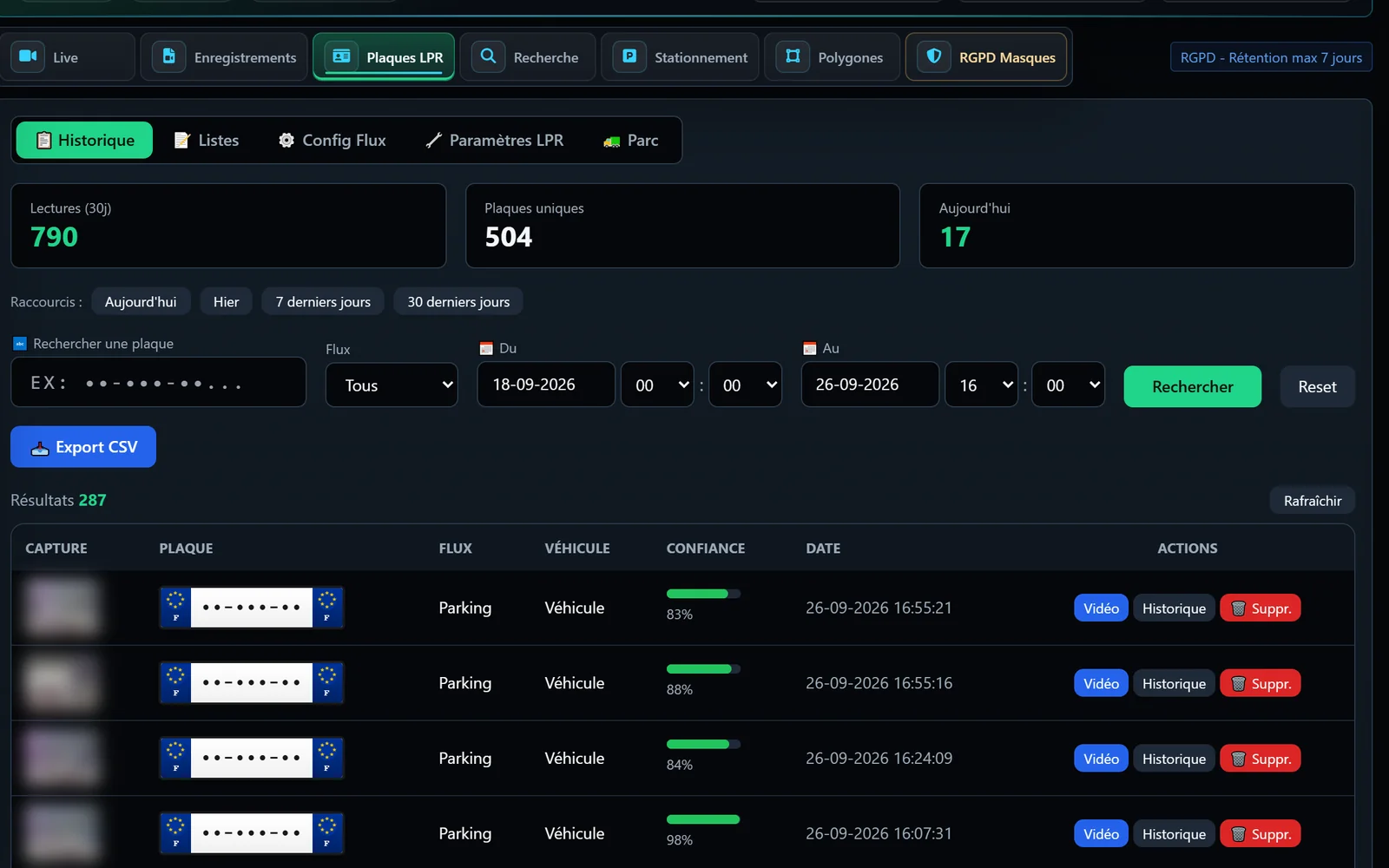
The player's “LPR plates” tab brings together the history, the lists, the per-camera configuration and the reading settings; the zone is drawn in the Polygons tab.
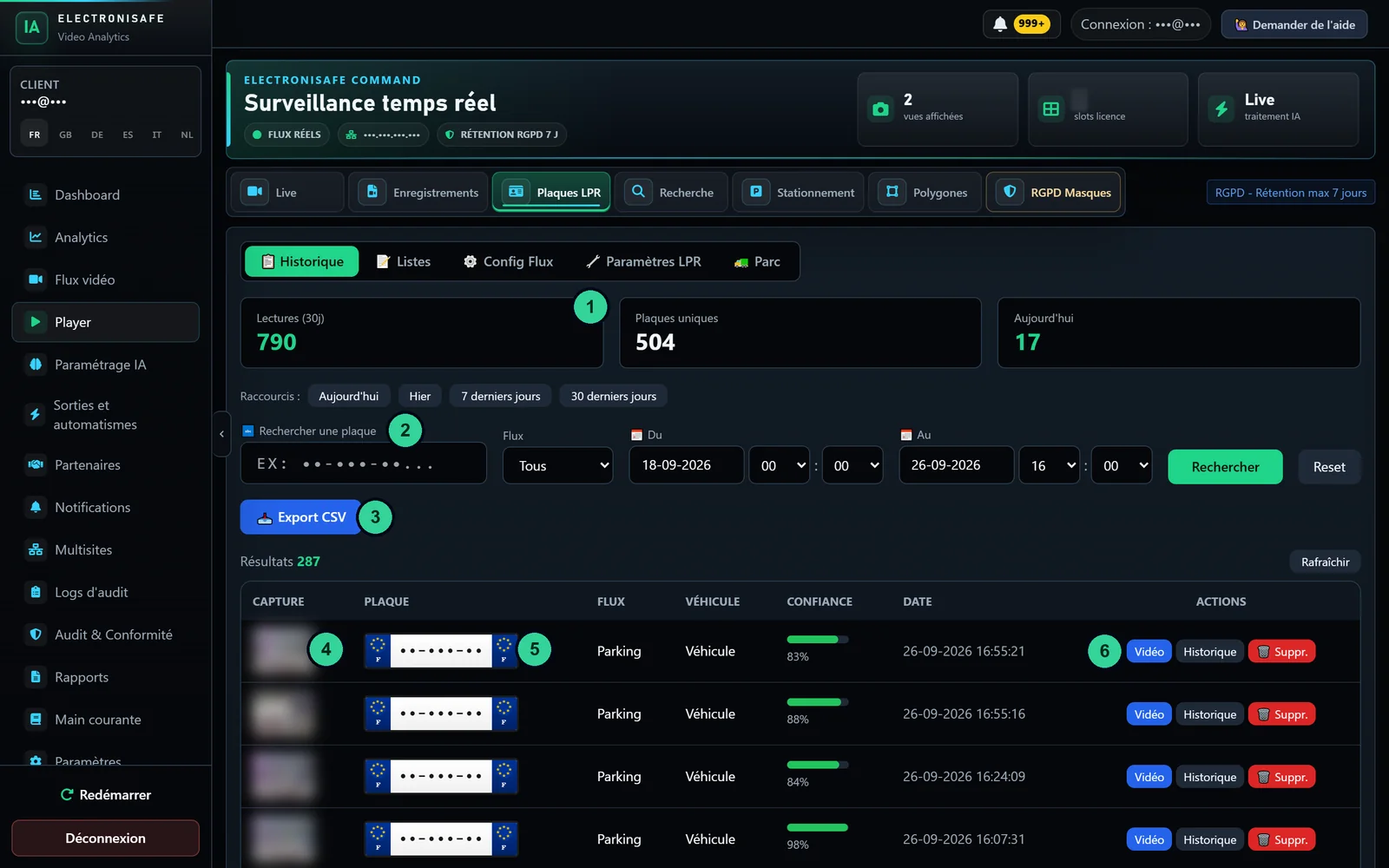
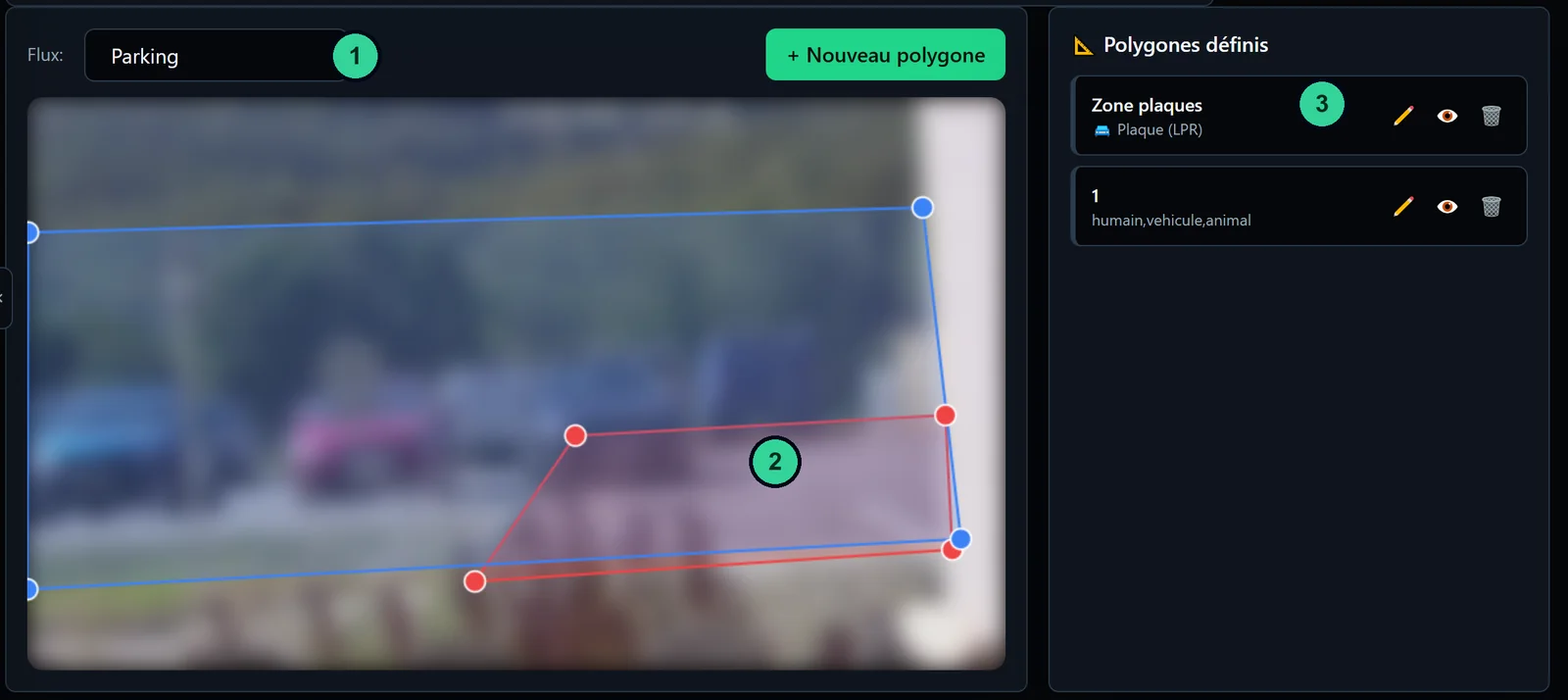
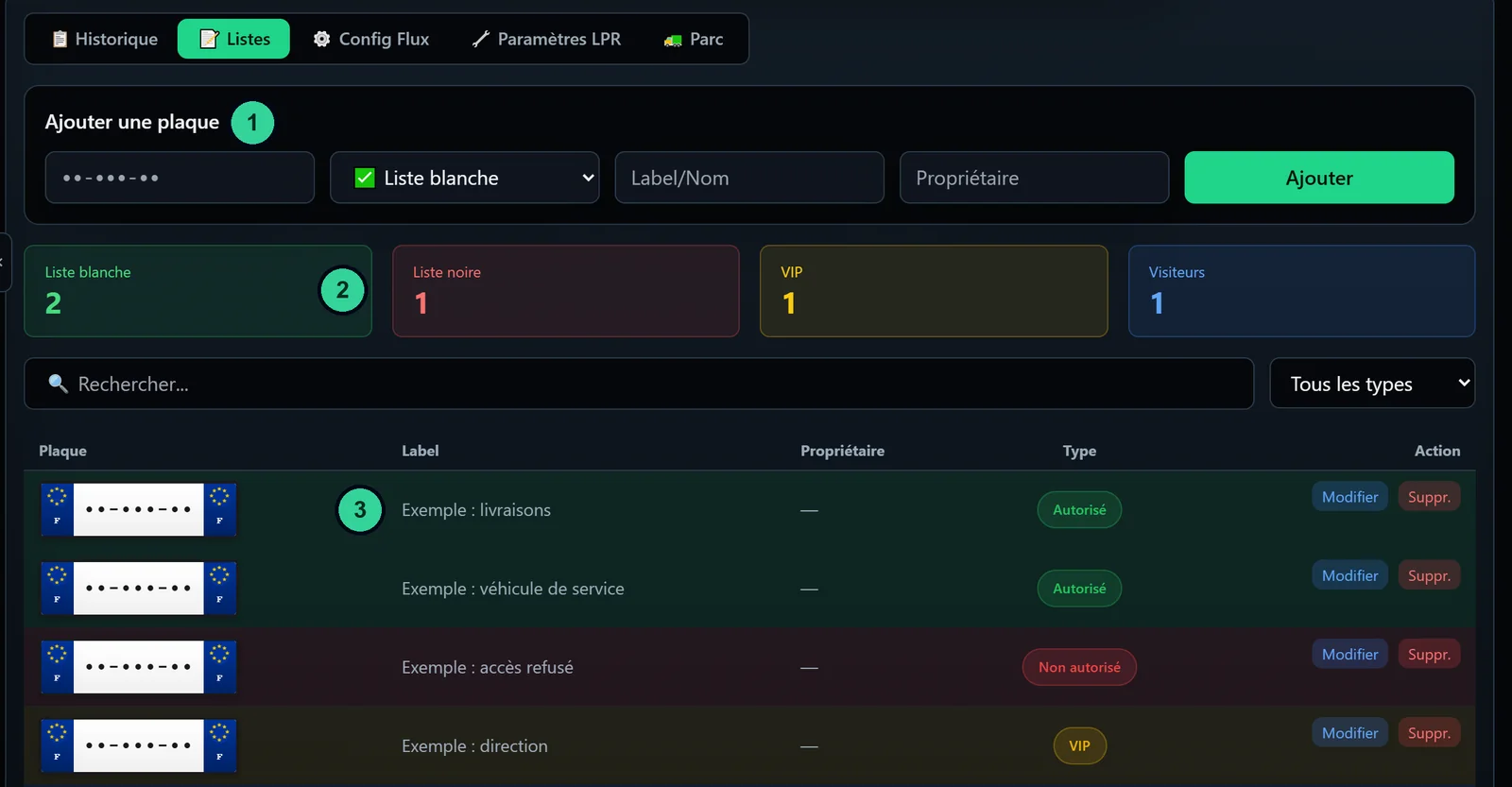
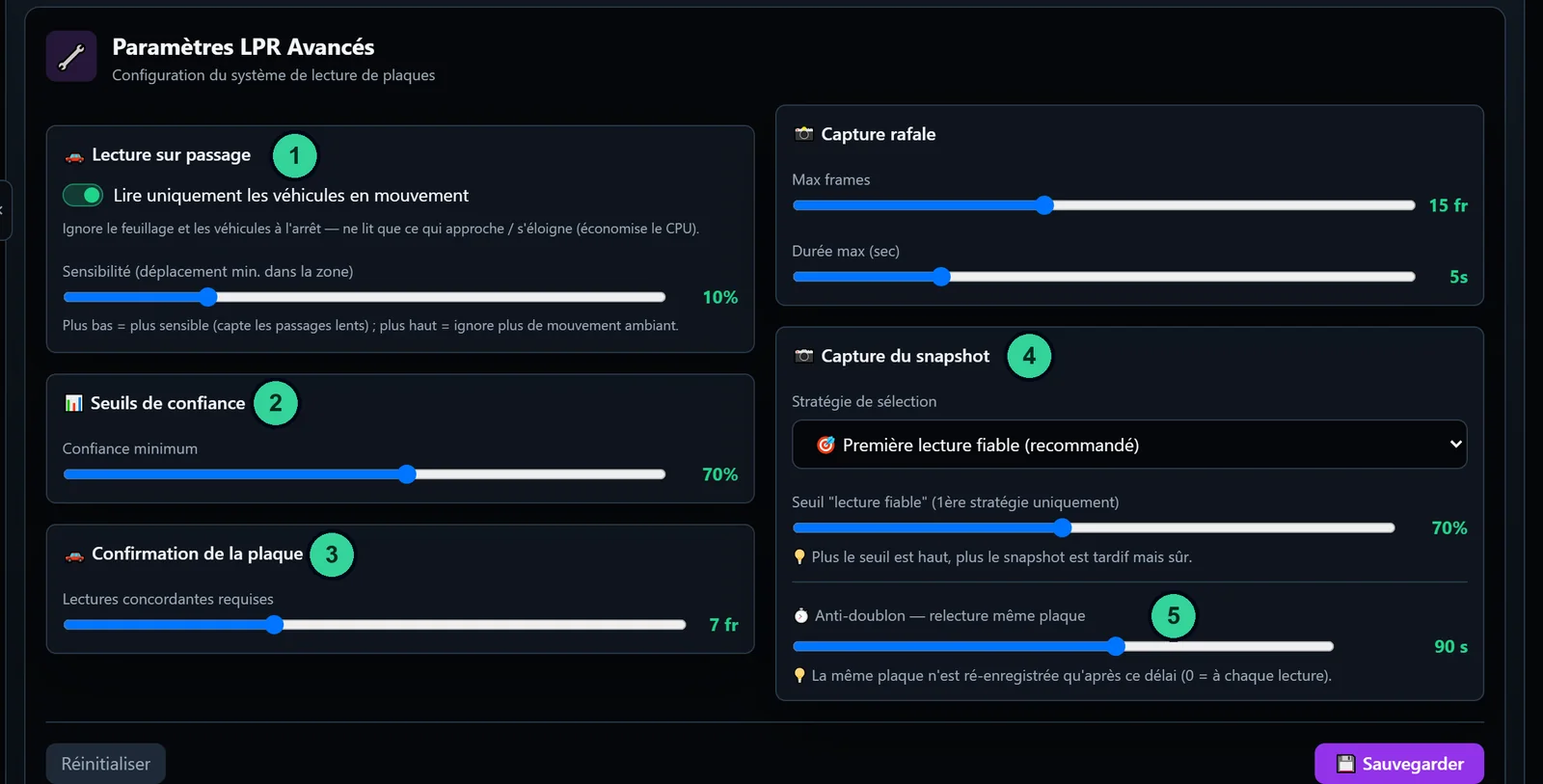
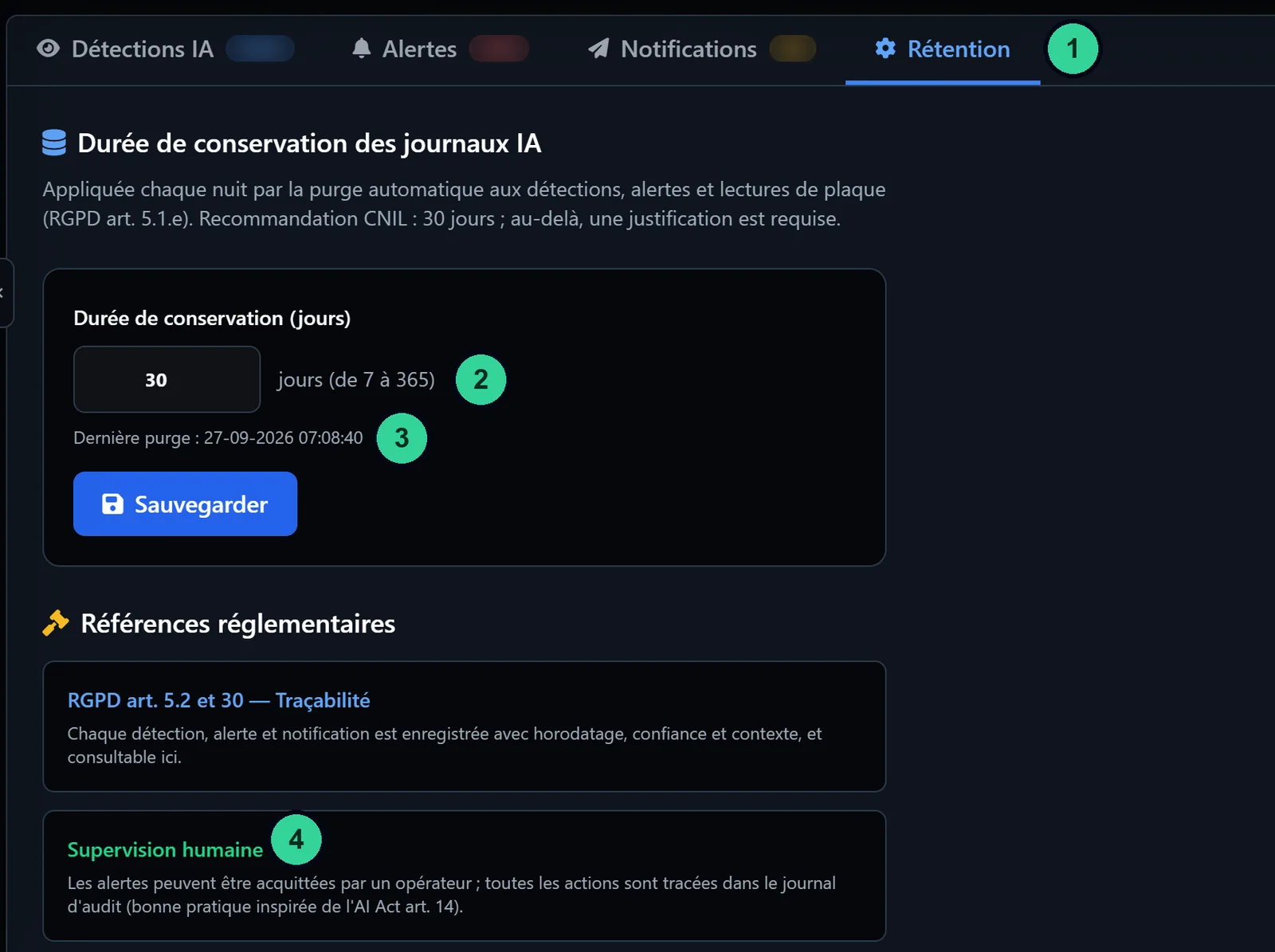
Real screenshots of the IA-N box (interface in French); licence plates, people and names hidden.
Use cases
A few common situations among installers' customers.
Keep a record of the vehicles entering the site and find a passage by plate number, camera or date.
Allow list of residents or staff to open the gate through a relay, alert on a plate from the deny list.
History of passages with photos, plate search and CSV export of the requested period.
Notification of passages outside opening hours, using the camera's notification time window.
Set-up by the installer
The module is added to an existing installation, without changing the box.
The plate recognition module is enabled by licence on the camera that films the lane, in addition to its camera licence.
Camera facing the traffic or slightly angled, plate clearly readable on the image, main stream in 1080p and infrared lighting at night.
In the player's Polygons tab, draw a “Plate (LPR)” zone over the lane, where the plates are sharpest.
Fill in the lists, choose notifications and relays, then check on site with a few real passages.
The LPR settings tab recalls the placement guidelines: camera facing the traffic (0 to 30°) is ideal, angled (30 to 60°) is acceptable, a side view is not recommended, and infrared lighting is advised at night.
Notifications and integrations
Each channel is set separately, camera by camera.
Plates on the deny list arrive in real time with high severity; the other reads appear in its feed. Requires the Alert centre module.
For reads from the chosen cameras: photo, plate number, list status and confidence level, within the set time window.
In Outputs and automations, “Plate on allow list” or “Plate on deny list” triggers a pulse, a blink or an HTTP call, with camera, time and day conditions.
The filtered history can be exported as CSV: plate, camera, confidence and date. Every export is recorded in the audit log.
If the camera records, the history line opens the video at the time of the passage; otherwise, the photo of the read.
A strip in the player continuously shows the last three plates read.
Security and GDPR
A licence plate can indirectly identify a person: automatic number plate recognition (ANPR) falls under the GDPR. The data controller is your customer, the site operator; the box gives them tools to keep the processing under control.
Define the purpose and the legal basis, inform people with a sign, limit the zone and the retention period to what is really needed, control access and, where required, carry out a data protection impact assessment (DPIA). Compliance depends on how each site is configured and used.
Prerequisites
To check before offering the module to a customer.
FAQ
Another question about this module? Our sales team will answer.
Automatic number plate recognition: the box reads the number of vehicles passing through a filmed zone and stores it with a photo. It is a processing of personal data, governed by the GDPR.
French licence plates, in the current format (SIV) and the former format (FNI). Other formats are not retained.
No: an IP camera compatible with ONVIF or RTSP is enough if the plate is readable on the image. Camera facing the traffic or slightly angled, main stream in 1080p recommended, infrared lighting at night.
Nothing is read. The “Plate (LPR)” zone, drawn in the player's Polygons tab, switches reading on for the camera and limits its extent.
Reading is triggered by a vehicle moving through the zone. Motion that stays in place, such as a parked car, does not trigger it; the option and its sensitivity are adjustable in the settings.
Yes, with an IP relay: in Outputs and automations, the “Plate on allow list” event can trigger a pulse on the gate relay, with camera, time and day conditions.
30 days by default, adjustable in the retention settings. Once the period has passed, reads and their photos are deleted automatically every night.
No: the module is there to read plates, inside the zone you define. To avoid filming the public road or the neighbours, use privacy masks: they also apply to the photos of reads.
The site administrators and the installer. An agent account has access only with the matching permission; without it, the number is hidden in their alerts.
Other modules
Tell us about the site and the cameras: we will help you check the framing and prepare the project.