
The cameras
They stay in place: IA-N uses the streams of most IP cameras (ONVIF / RTSP).
Installer partner network
Without changing a single camera: IA-N connects to existing IP cameras (ONVIF® / RTSP), recognises people, vehicles and animals on site, and triggers the alerts you configure, with a photo as proof. You install it, you sell it, you keep the customer relationship.
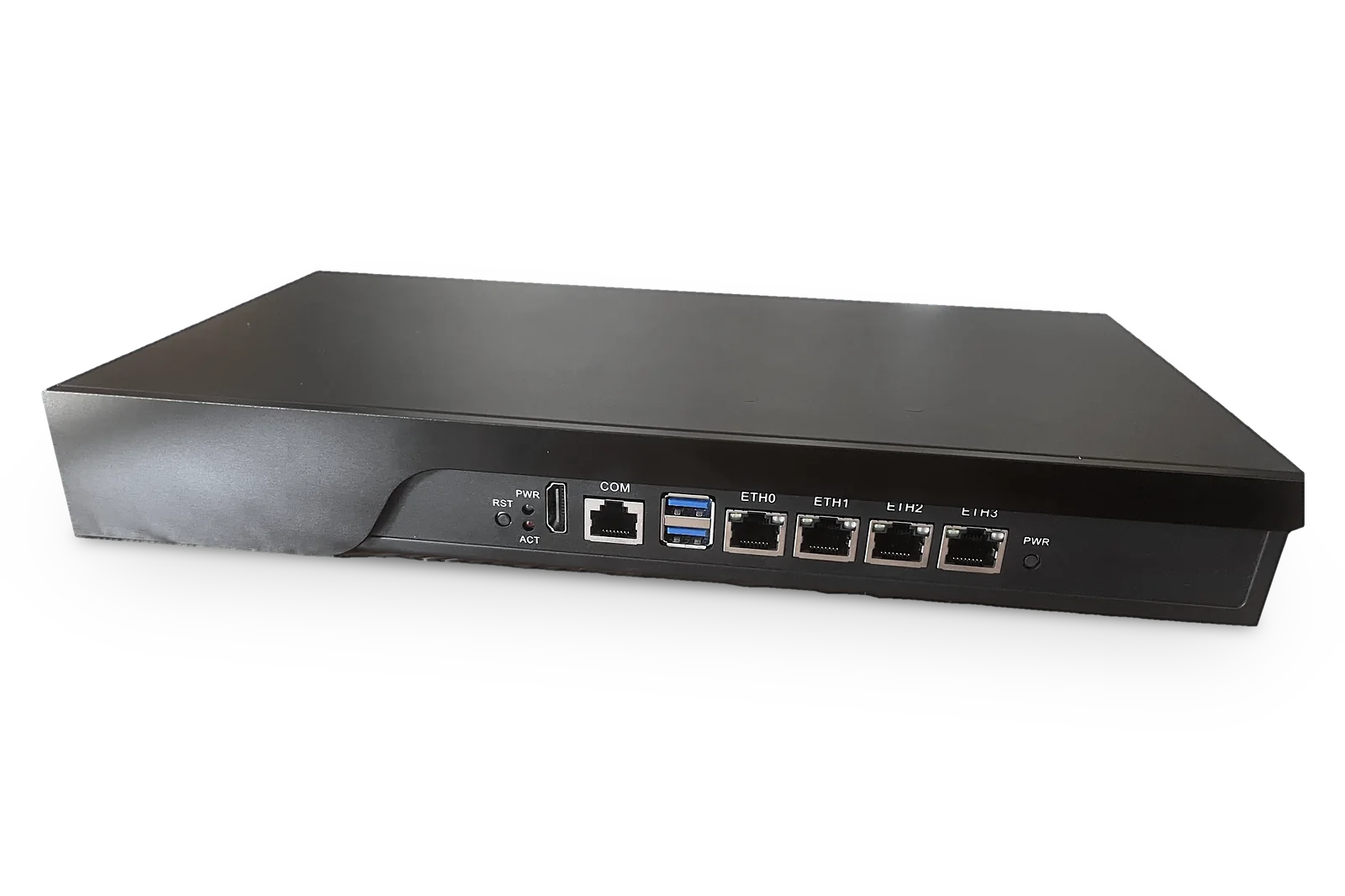 Real photo
New
ElectroniSafe's AI video analytics plugin, compatible with Nx Witness: it runs inside the Nx server and analyzes the cameras already installed. 30-day free trial.
Listed in the official Nx Witness integrations catalogue — view the listing
* Internal measurements on the 13-inch box (8 GB): see the measurements.
In brief IA-N, by ElectroniSafe (France), is an AI video analytics solution that turns most IP cameras already installed (ONVIF / RTSP) into smart cameras, without replacing them. Analysis takes place on the customer's site; IA-N recognises people, vehicles and animals and triggers alerts: notification with a photo, monitoring centre or video management software (VMS). It is sold to security installers. The software alone is available now; the 13-inch box is available soon.
Existing camera installations
IA-N is added alongside the existing installation: the box (available soon) or, available now, the software alone on an Intel N-series mini PC. Nothing is replaced.
They stay in place: IA-N uses the streams of most IP cameras (ONVIF / RTSP).
The camera cabling does not change: IA-N connects to the existing network.
It stays in place and keeps recording: IA-N works alongside it.
It stays in place, and IA-N alarms can arrive in it: tested with Nx Witness, other software to be validated case by case.
For installers and integrators
IA-N adds video analytics to the installations you already master. You remain your customer's contact; ElectroniSafe provides the product, the training and the support.
You build your offer, set your installation and maintenance prices and invoice your customer. We do not sell directly to your customers.
IA-N connects to IP cameras that support ONVIF or RTSP, alongside the existing recorder: no need to replace the whole installation.
Video analysis runs on the customer's site, with no cloud subscription needed for detection. Images only leave the box for specific uses: remote viewing, alarm verification, support, and the notifications or services you enable. Our servers do not keep them, except as detailed in our privacy policy.
Privacy masks, adjustable retention, access management and no facial recognition. A site's compliance also depends on how it is configured.
ONVIF camera discovery, zones and schedules drawn on the image, alerts tested on site with your customer.
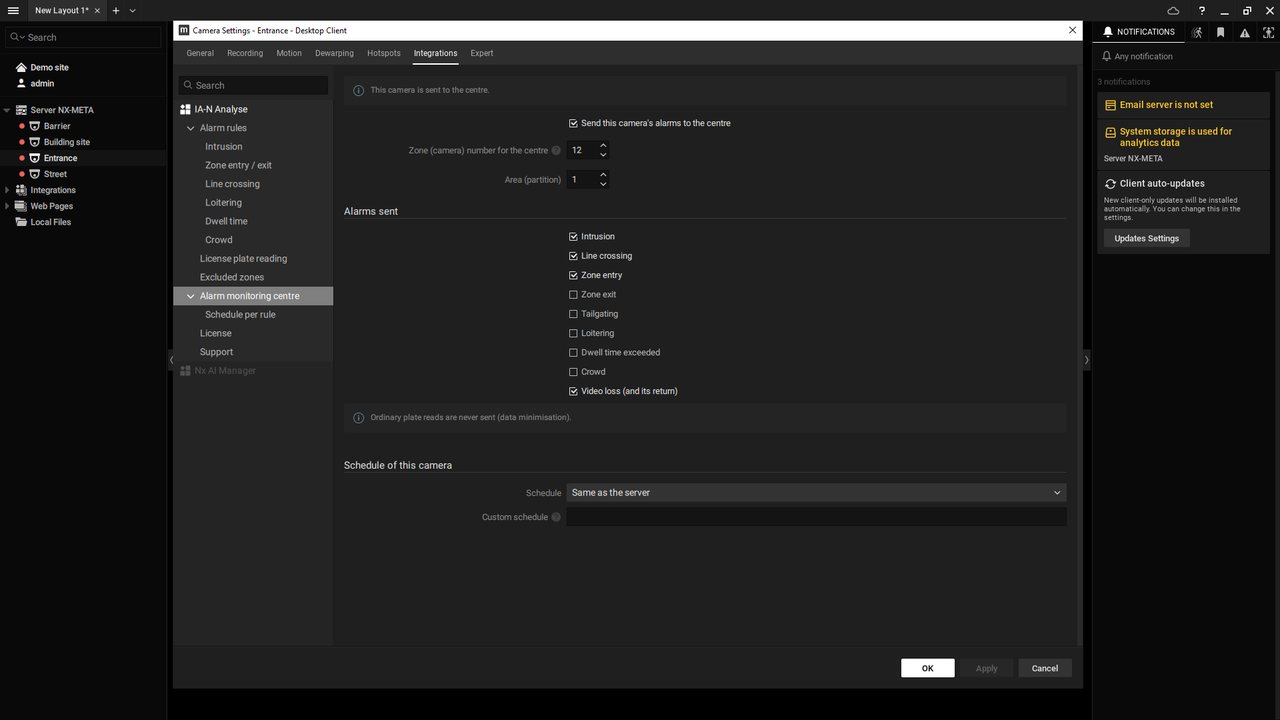
One licence per camera, one included with the box. Most modules are enabled camera by camera, without changing the box; the Alert centre and remote cameras apply to the whole box.
Demo, remote training and technical support from the team that develops IA-N. Signed software updates, deployed remotely.
By video call, with you or directly with your customer.
The IA-N solution
IA-N recognises people, vehicles and animals, then triggers the configured alerts. Video analysis takes place on site.
A black industrial enclosure, preconfigured to join your customer's video network.
Video storage is sized to the cameras and the retention period: box (optional second 500 GB or 1 TB SSD), NAS or network share on site.
Real photos
Real photos of the box, background neutralised, third-party markings masked.
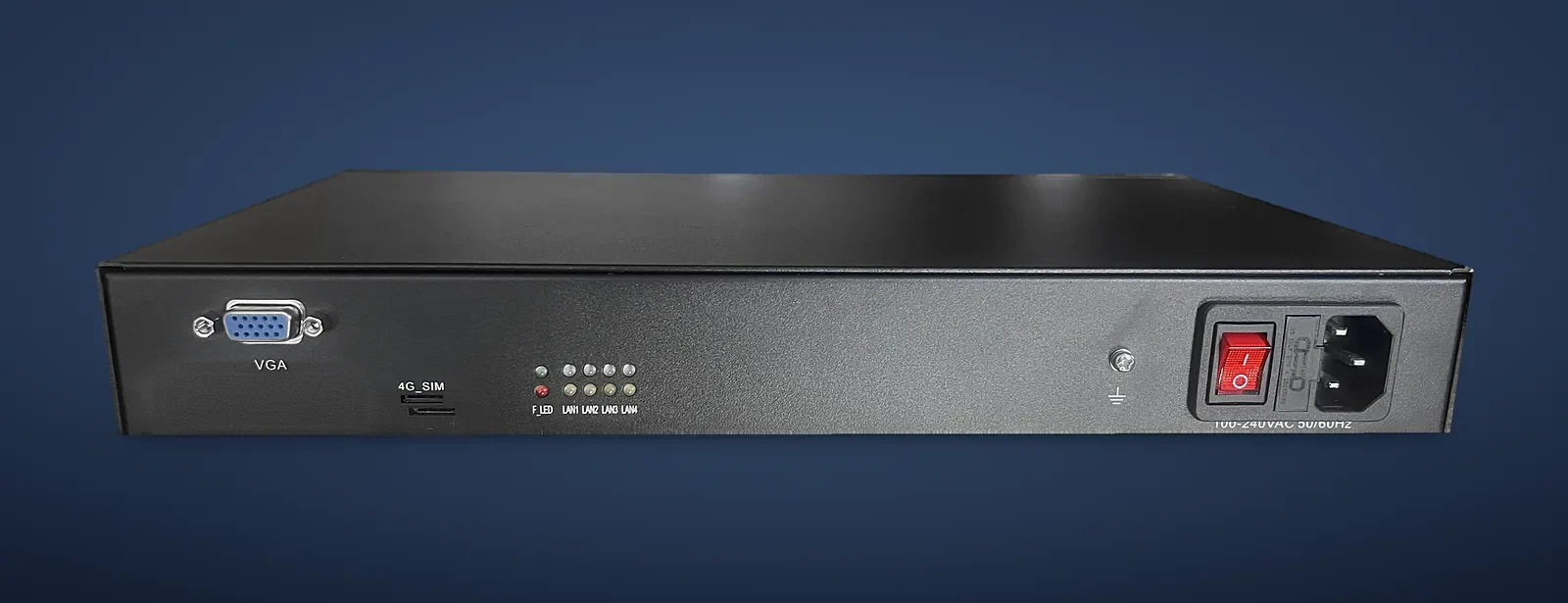
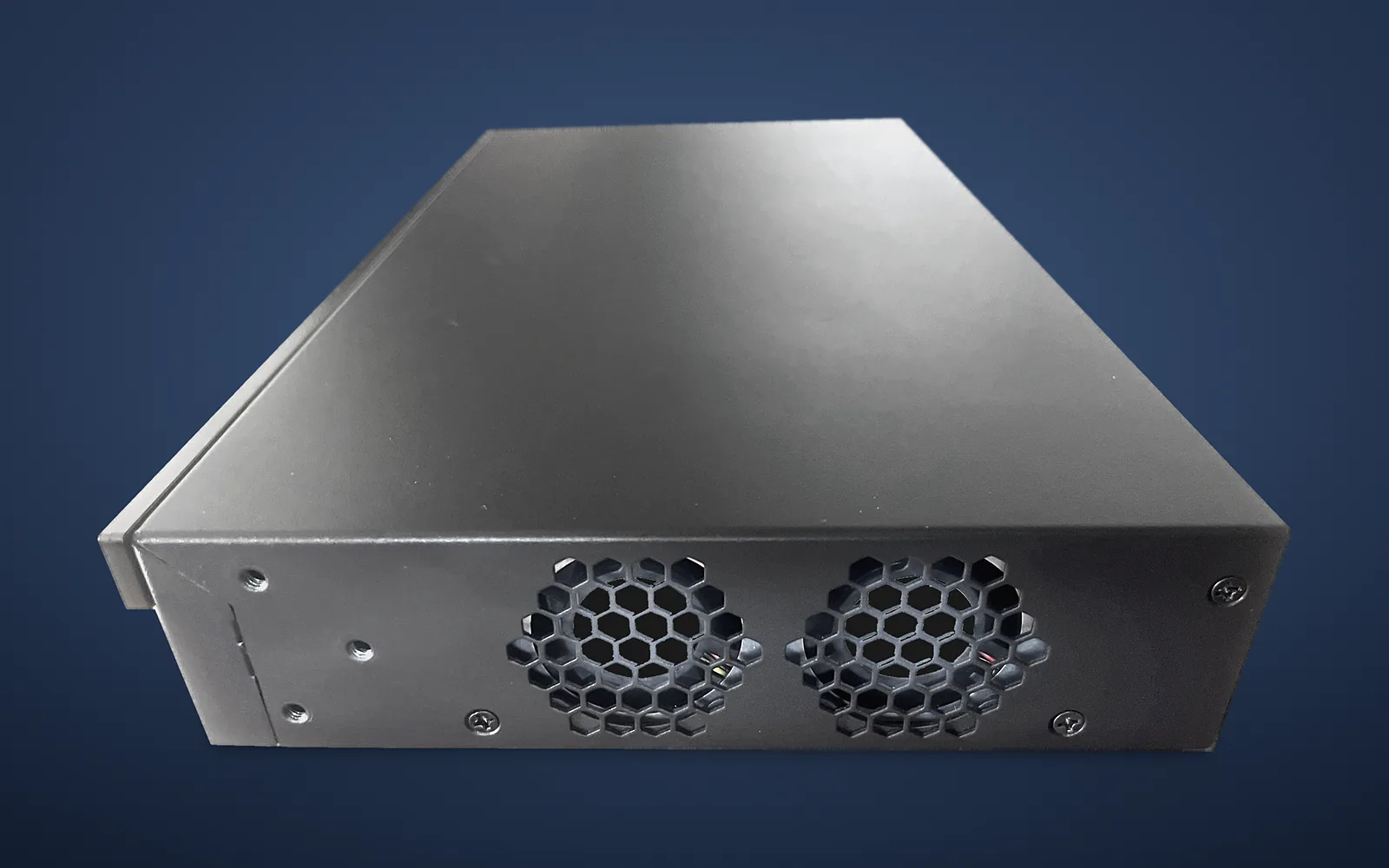
Add the licences the project needs. Additional modules are enabled on the relevant cameras, without changing the box.
From field needs to the right alert
Set up zones, schedules and notifications for each site. Complete the installation with only the modules it needs.
Spot relevant events on compatible cameras, with an annotated image and notifications according to the rules you define.
Licence plate recognition for your authorised uses, depending on the module and viewing conditions.
Licence plate recognition: the detailsFollow and acknowledge the site's alerts in real time, with a photo of each event.
Alert centre: the detailsVMS: ONVIF events and API; alarms tested with Nx Witness; for other software, compatibility to be validated case by case.
Measurements, not superlatives
Figures from our internal measurements on the 13-inch box, fitted with 8 GB of memory. Results depend on the cameras, the network and the modules enabled.
* Up to about thirty cameras analysed per box, based on our internal measurements (13-inch box, 8 GB). These measurements are not a guarantee of results on every site: each project is sized and validated with our team.
An integration you control
Keep a clear architecture: cameras capture, IA-N analyses, your rules trigger what happens next.
Check the cameras' ONVIF / RTSP streams, connect the box and add the site's cameras.
Define zones, schedules, recipients, alert channels and retention period.
Test detections and notifications on site, then help the customer get started.
Local analysis, privacy masks, retention settings and access management. Compliance also depends on the configuration and on the obligations of the site's controller. Notifications and external integrations must be framed according to the services enabled.
Network security · 4 Ethernet ports
On the IA-N box, each RJ45 port is given a role. The “camera” ports are isolated: your cameras stay cut off from the Internet. They can neither be exposed nor communicate with their manufacturer's servers.
Main network, Internet backup, cameras A, cameras B: the installer assigns the roles from the box interface.
No Internet access for the cameras, no access to the customer's network, no routing between ports.
Only the box talks to the cameras (video, ONVIF) and gives them the time: no Internet needed for timestamps.
The installer enters the cameras' IP ranges, even when they match the customer's network.
A concrete security argument for your customers and their compliance (security of processing, Article 32 GDPR).
By default, everything stays on the same network, as today: isolation is enabled when the installer gives a port the “cameras” role.
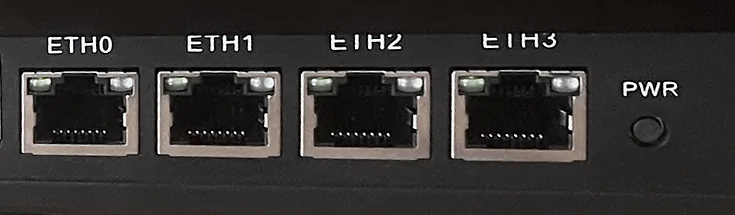
From the camera ports:
Box ⇄ cameras only: video, ONVIF, local time
The 13-inch IA-N box
Our sales team answers your questions about the box and your project.
No payment on this website.
Our sales team will reply by email or phone.
Software only
IA-N is installed remotely on an Intel N-series mini PC (N97, N150, N305 or N355) that you supply. You order it in your installer account on the portal (in French), or from your distributor.
About us
ElectroniSafe SAS is a French company based in La Bâthie (Savoie), founded in March 2024 by Mathieu Delannoy, its President. It designs and develops IA-N and sells it to security installers, directly or through distributors.
SIREN 924 849 540 · RCS Chambéry
France
Designed and developed in France
Directly or through distributors
Guides
Short, factual pages to prepare a project or compare solutions.
The AI video analytics plugin that runs inside the Nx server, with its guides: intrusion, alarm monitoring, French license plates, GDPR.
Prerequisites, steps and limitations, camera by camera.
Hardware required, installation, warranty, ordering.
Principle, compatibility and prerequisites.
What IA-N brings to each type of site.
Criteria for choosing an approach.
ONVIF, RTSP, VMS, ANPR, alarm verification…
Before you start
Question not listed? Our sales team will answer.
IA-N is an AI video analytics solution designed and developed by ElectroniSafe, a French company. A box installed on site connects to the existing IP cameras, recognises people, vehicles and animals, and triggers alerts: phone notification with a photo, transmission to a monitoring centre, events to video management software (VMS). The analysis runs on site.
Security installers and integrators, who install it and sell it to their customers: businesses, shops, industrial sites, car parks, residential buildings. ElectroniSafe sells IA-N to installers, directly or through distributors; it does not sell directly to end users.
No. IA-N uses the streams of most IP cameras already installed (ONVIF / RTSP): the cameras, cabling, recorder and video management software stay in place. We help you check the camera models for the project.
Up to about thirty, based on our internal measurements (13-inch box, 8 GB). Actual capacity depends on the cameras, the network and the modules enabled: each project is sized and validated with our team.
The preconfigured IA-N unit in a 13-inch rack enclosure (“13-inch” is the size of the enclosure: no screen is supplied), with a 128 GB system SSD and one camera licence included. A second 500 GB or 1 TB SSD is offered as an option; additional licences and modules are defined according to the project.
No. IA-N detects categories (person, vehicle, animal) and, with the licence plate module, reads licence plates. It does not identify people by their face.
Analysis and primary storage take place on site. Depending on your choices, notifications or external services may send images to the configured recipients or providers. These flows and retention periods must be defined for each installation.
On the IA-N box, the installer can isolate the cameras: the “camera” ports have no access to the Internet or to the customer's network, and there is no routing between ports. Only the box talks to the cameras and gives them the time, so they can neither be exposed nor communicate with their manufacturer's servers. Without a “camera” port, they stay on the site's network, as today.
Yes, it is included with the box: it sends its alerts using the SIA DC-09 and Contact ID protocols, with a video verification link. Details are on the monitoring centres page.
Start with a guided demo by video call, with you or directly with your customer.
Available soon: contact us. Our sales team answers your questions about the box and your project.
Yes: the software alone is available now. IA-N is installed remotely on an Intel N-series mini PC (N97, N150, N305 or N355) that you supply, with one camera licence included. You order it in your installer account or from your distributor. ElectroniSafe guarantees the software; the machine remains under its seller's warranty. See Software only.
Installer prices (licences, modules) are in your installer account (portal in French), once your account is validated; you can also apply first to talk with our sales team. You then set your own sale and service prices.
Introduce your company, the area you cover and your business through the application form. We discuss the solution and the training path. Listing follows a discussion with our team; it is not automatic and does not guarantee any volume of customer requests.
Let's build the network together
Security installer, video integrator or network professional: let's get to know each other over an IA-N demo.